Learning Launch Pad
Table of Contents
Interested in learning cool new skills? This guide will act as a launch pad to learning more about programming, circuitry, and other cool stuff.
Programming
Programming is an excellent skill to posses, whether it's for engineering or just for fun. Living in a digital world, there is nearly an unlimited amount of things you can do with programming. This article will act as a launch point for learning the basics of programming, giving you pointers, resources, and guides that will help you learn. While this guide will focus on Python, a simple and easy to learn language, the things you learn here can easily transfer to other languages.
Choosing a Text Editor
Before you can learn to program, you'll need an interface for which to type code, manage and save files, and run your program. There is a lot of options out there, and what you use is completely up to personal preference. You can program straight through the terminal with something like nano or via, a simple text editor, or with a full on IDE. As you learn and explore different options, you'll figure out what works best for you, but to begin, a simple text editor is more than enough.
Here are some options to choose from:
(Links to text editors site)
And many more. Personally I prefer Visual Studio Code. Visual Studio Code, or VS code for short, offers community driven plugins, meaning you can easily set it up for any language or project you need.
Picking a Language
When I was first learning to program, I spent a lot of time researching and trying to decide on what language to learn first. There are lots of different programming languages, and each have their own unique strengths and weaknesses. What I didn’t realize was that it doesn’t matter what language you start with first. While each language is different and unique in it’s own way, what you learn in one language with translate to most other languages, so it really doesn’t matter what language you start with first. That being said, some languages have more of a learning curve than others, and can be harder to approach. For example, look at these two example programs, one written in Java and the other Python.
Java:
public class HelloWorldDemo {
public static void main(String arg[]) {
System.out.println("Hello World!");
}
}
Python:
print("Hello World!")
Both of these programs output the text ‘Hello World!’ in the terminal, but as you can see, the java program has a lot more going on than the python program. That isn’t to say java isn’t worth learning, in certain applications java can be much more efficient compared to python. However, when first learning to program, in my opinion python is much more approachable, and is what I would suggest starting out with.
However, it isn’t you’re only option. Here are some other popular languages, including python.
- Python
- Java
- C++
- C#
- Javascript
Used for data analysis, machine learning, automation, scripting, etc.
Used for desktop applications, mobile applications, what Minecraft is programmed in.
An extinction C, the grandfather of most languages, including python. Used to develop operating systems, game engines, etc.
Used for windows applications, video games, other general use programming, etc.
Used for making websites more interactive, both on the front-end and back-end. Other applications as well
And many more, here's a giant list of programming languages. Like I said, it doesn’t really matter what language you start off with when learning to code. All of these languages can be used to solve the same tasks, and make the same programs. Some are just more equipped for certain tasks than others. For example, if you’re looking to write a program that needs to work close to hardware, and needs to handle memory, then C would be a preferable chose over Python. When I first started programming, Java was my first language. For absolute beginners though, I think Python is a great chose.
Python
As you saw in the coding example above, Python is a lot simpler. Being a high-level programming language, Python does most of the heavy lifting for the programmer, meaning you generally won’t have to worry about scary things like garbage-collection and memory allocation when programming in Python. Another cool thing with python is that its syntax forces your code to look neat by relying on indentations. Here’s an example of a Python program, and a Java program that does the same thing, but written in a very unreadable manner.
Java:
public class SyntaxEx {
public static int addPositiveNumbers(int x, int y) {
int result = 0;
if (x > 0 && y >0) {result = x + y;}
else {System.out.println("Invalid numbers, must be positive.");}
return result;}
public static void main(String arg[]) {int a = -4;int b = 2;
if (addPositiveNumbers(a, b) > 0) {System.out.println(addPositiveNumbers(a, b));
}}}
Python:
a = 3
b = 4
def add_positive_numbers(x, y):
result = a + b
if a > 0 and b > 0:
return result
else:
return "Invalid numbers, must be positive"
print(add_positive_numbers(a, b))
Downloading Python
While the Java program is harder to read, it will still compile and run. The python program on the other hand will not run if you try and get rid of the indentations or the new lines. With the syntax relying on indentations, it forces you to write neat code.
To get started you’ll need to download python, although most Linux distributions, and some windows computers come with python preinstalled. To see if you have python already, open up PowerShell, command prompt, or whichever terminal application you have and type in ‘python —version’. If it returns something like ‘Python 3.11.6’, then you’re good to go. If you receive an error instead, then head over to python’s website and download the latest version. When going through the Python installer, be sure to press the 'Add to PATH' checkbox.
Setting Up Visual Studio Code for Python
Once you have python downloaded, you’ll have to set up you’re text editor. Setting up will be different for different text editors, so If you’re not using VS code as your text editor then you can search online something like ‘How to use Python with insert your text editor here’. If you are using VS code, then you’ll first need to download some plugins.
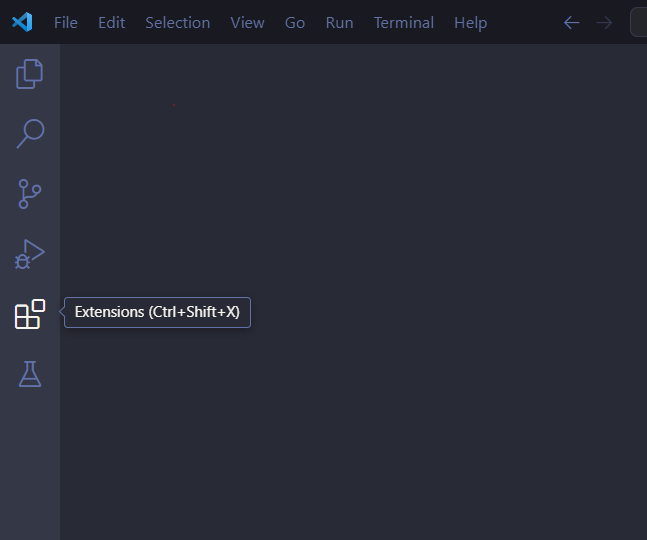
Click on the extensions icon on the left side bar (the symbol with the blocks).
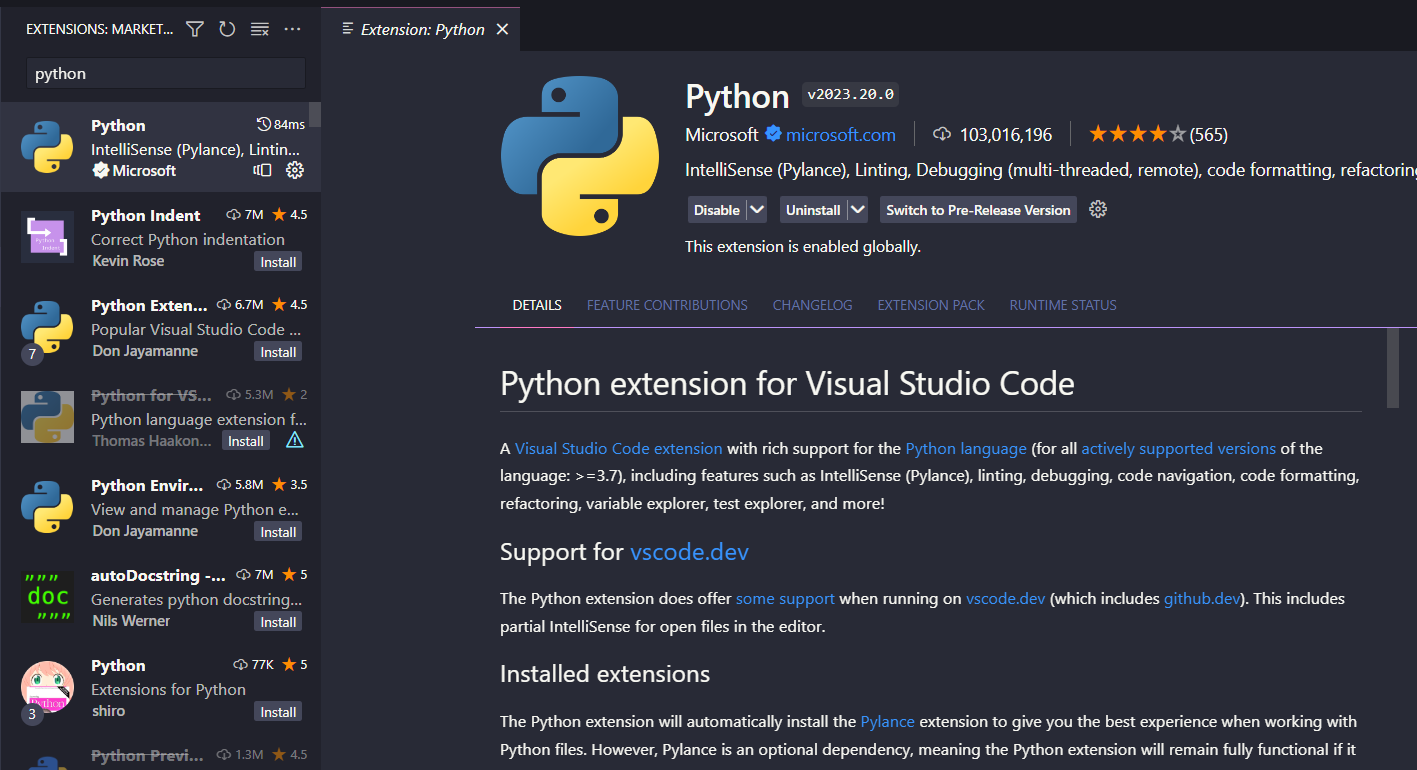
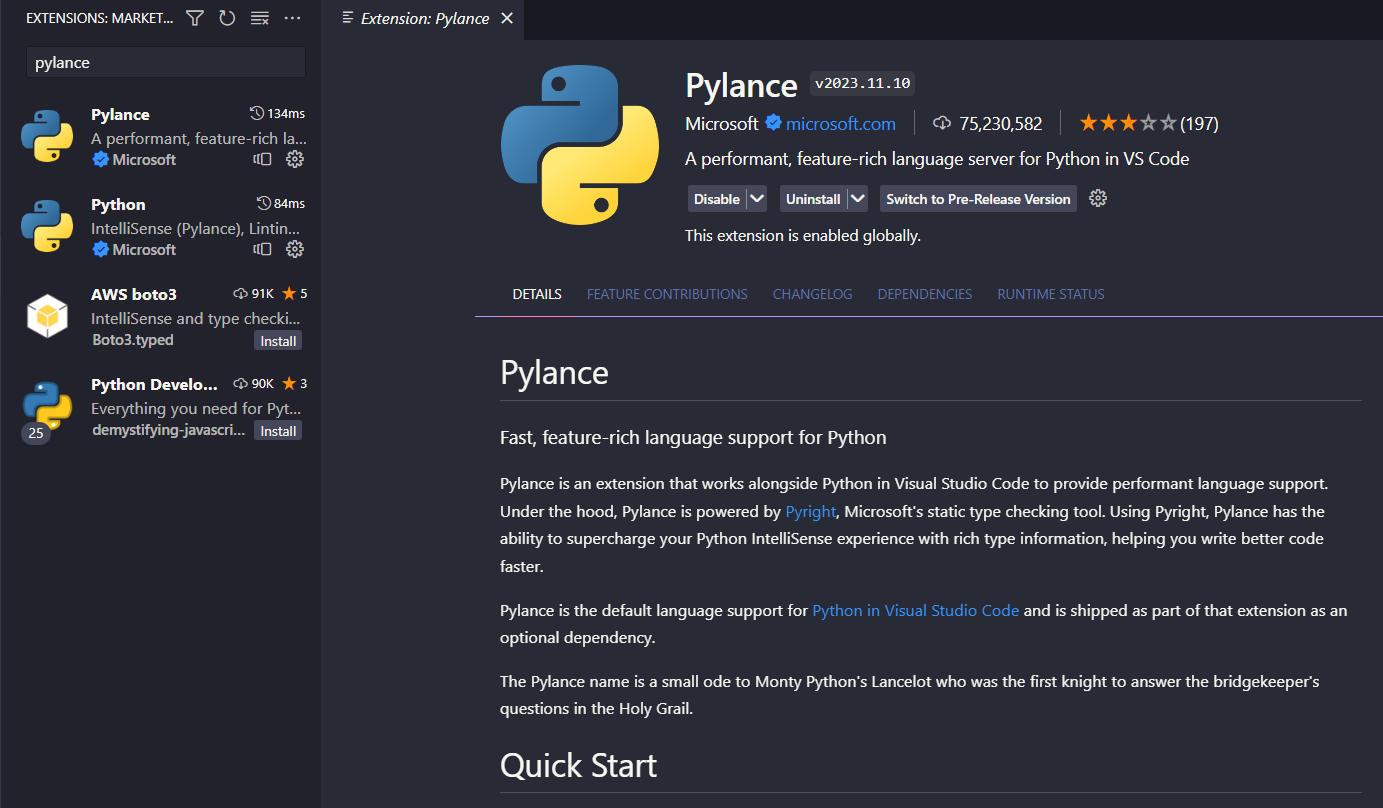
In the search bar search for and download the Python plugin, this should also download the pylance plugin, but if not go ahead and search for and install that one as well.
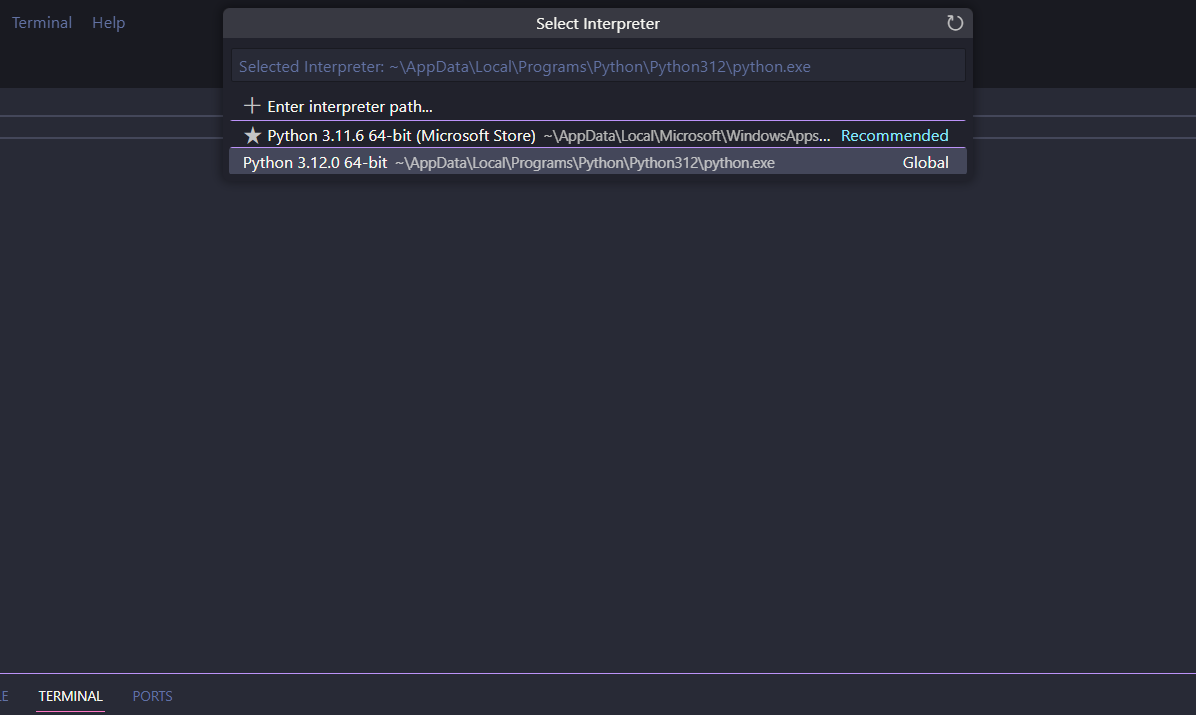
Next create a new file and name it something like ‘HelloWorld.py’. The .py is very important, it tells the computer what type of file it is. Write the lines ‘print(”Hello World!”)’, then try and run the file. A prompt should pop up asking you to select your interpreter. If for whatever reason this prompt doesn’t pop up, press ‘Ctrl’, ‘Shift’, and ‘P’ at the same time and type in ‘python select interpreter.’ Go ahead and select your interepter, now when you press the play button, a console should pop up at the bottom of the screen and you should see your program’s output.
Learning Resources
You’re now all set up and ready to learn! Here are some great sources for learning more about programming in python.
My first suggestion would be w3schools. Not only does this site teach you how to learn python, but a bunch of other languages as well. The site splits up the language into chapters, covering the basics in the beginning, and slowly building up to more advance stuff. This site also has interactive examples that you can edit through an online text editor.
Learn Python at w3schoolsAnother great place to learn programming is through Youtube. There are thousands of free tutorials for pretty much every language on Youtube. When I first learned how to program in Java, I watched a crash course video by 'Programming with Mosh.' The great thing about youtube is if you're having a hard time understanding a certain thing, you can always find another video that explains it in a way that makes more sense to you. Here's a video by Mosh over Python:
While these two options are great, the number one tool for learning to program is Google (Or whichever search engine you use). A lot of programming is looking up online your issues, how to do something, what this is, and why that does this. There's a lot of resources online out there, from fourms to videos, you can figure out pretty much anything with some Googling.
Cool Python Libraries and other Tools
Once you get the basics down, you're gonna wanna start doing projects to really hone your skills. Working on projects that you find interesting is really key to learning. When I was learning to program, I didn't fully grasp it until I started programming video games with the Godot Engine. My incentive to learn really accelerated when my code started to actually do something, like make a 3D character move and hop around. To help you learn, here are some cool tools and libraries to explore. (A library is a collection of functions, templates, data, documentation, etc. that add functionality to the programming language).
Turtle Library
Turtle is a great tool for learning, especially for beginners. With turtle you can draw images by writing out a list of commands, given by the library. Turtle is great for getting used to understanding how programming works logically, and how the computer follows directions to to a T.
Here's a paint program I overachievingly made in High School. It isn't how you'd conventionally used turtle, but I think it demonstrates how you can really bend the rules with programming:
Poo Poo PaintPygame
Pygame is a library that turns Python into a game engine. It may be a bit difficult to pick up for beginners, but it's a great way to learn. Pygame could also be a great introduction to object orientated programming.
Contact Us
Skylar Araujo: skylar.araujo@okstate.edu
Danny Johnson: danny.c.johnson@okstate.edu
Elizabeth White: elizabeth.a.white@okstate.edu